

Dashboard Intelligence Layer
See how I lead product, AI, and transformation.
Dashboard analysis, on demand
2025 to now
I built a Chrome extension that reads any dashboard and explains it.
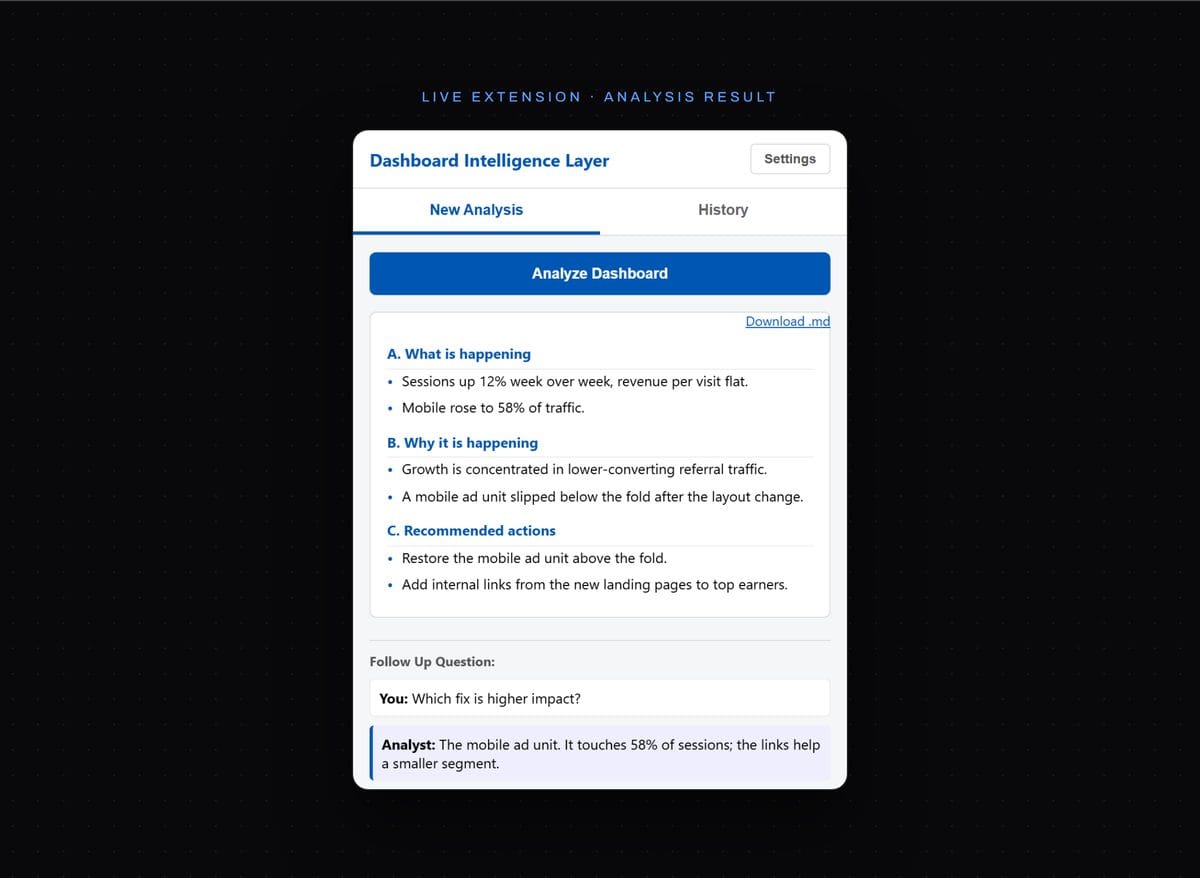
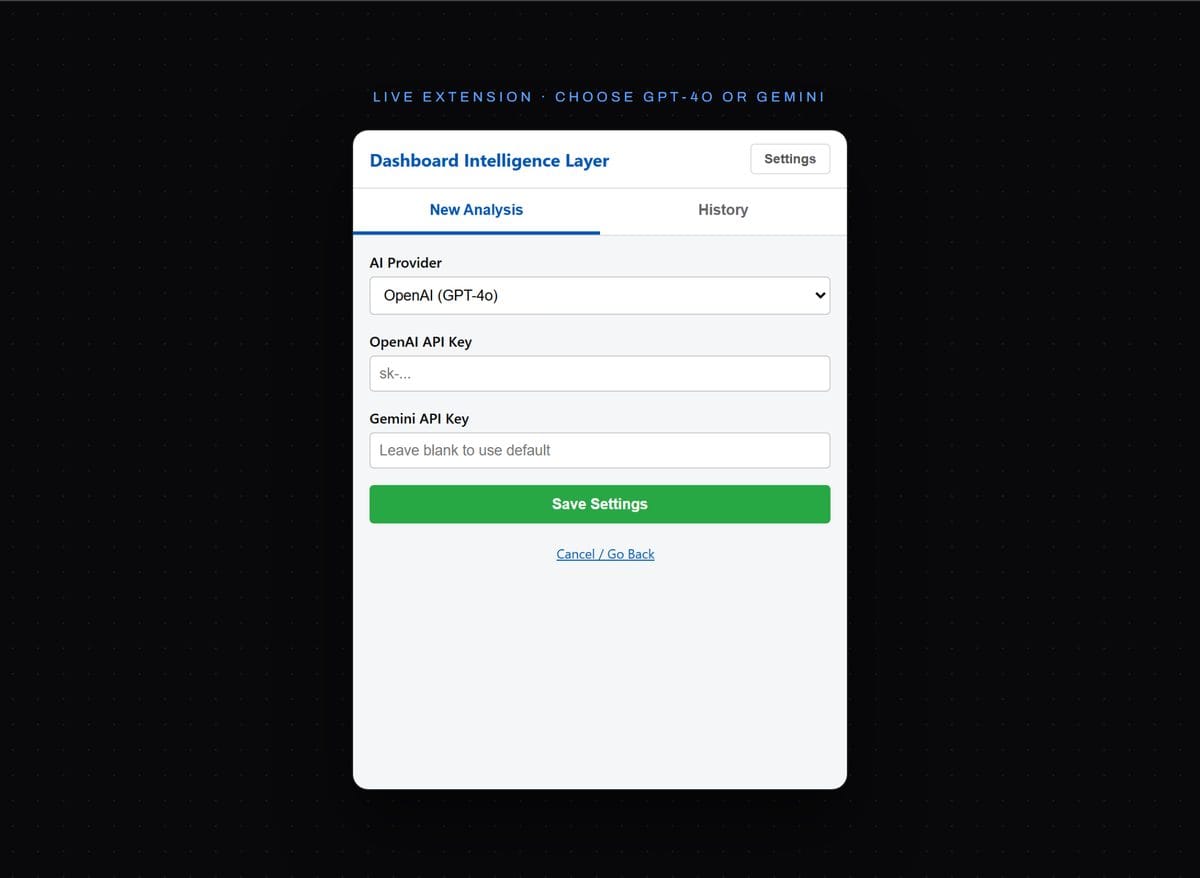
Analytics lives across a dozen dashboards that do not talk to each other. This Chrome extension captures what is on the screen and sends the image to a frontier vision model, GPT-4o or Gemini, your pick, then returns a structured read: what is happening, why, and what to do. The analysis comes to the data, instead of the data going to a chatbot.
- GPT-4o or Gemini, your key
0 exports
- data stays on the page
What · Why · Act
- the shape of every answer
Vision
- reads the screen as an image
The Problem
Analytics lives in a dozen places, and none of them think. To get an answer you export a report, paste it into a chatbot, and lose half the context on the way.
The insight should come to the data. The data should not have to travel to the insight.
The Constraint
It Has To See The Screen
A general chatbot does not know which dashboard you are looking at. Describe it in prose and you have already lost the precision that made the data worth reading.
So the tool had to work where the data is. Read what is on the screen, and answer grounded only in what it can actually see.
How it answers
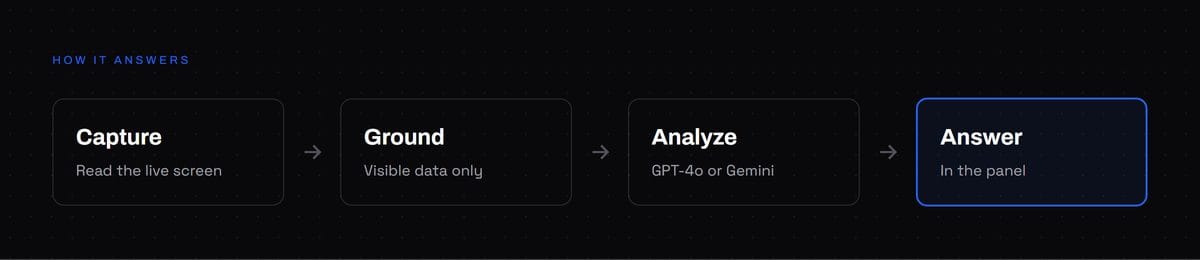
It reads the screen, and stays grounded in it.
01
Capture
Scans the active tab for data sets and sends the JSON to the model with data analysis playbook super-prompt.
- Dashboards
- Reports
- Charts
02
Ground
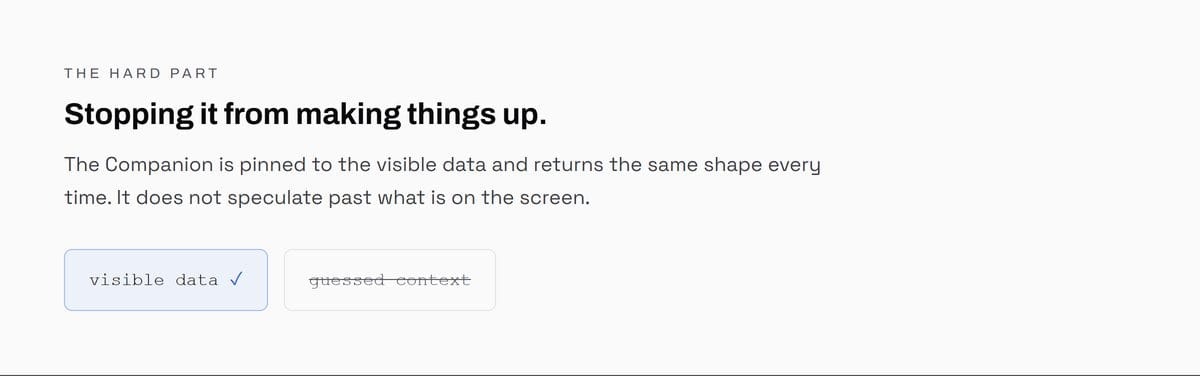
Use the visible data only. No guessing at conditions it cannot see on the screen.
03
Analyze
The model, GPT-4o or Gemini, works the numbers: the movement that matters and the most likely cause.
04
Answer
What is happening, why, and what to do. Then ask follow-ups, save the history, or export to markdown.
How I build it
The hard part of an analytics AI is not the model, it is stopping it from making things up. It is pinned to the visible data and returns a fixed shape every time: what is happening, why, recommended actions. It runs on GPT-4o or Gemini, your model and your key, and it does not speculate past what is on the screen, which is what makes the answer worth trusting.
RevMax and wpt are built the same way.
One screen, one question, one answer.
Open any dashboard, open the extension, click analyze. It captures the screen, sends the image to your chosen model, and returns a structured read: what changed, the most likely cause, and the action to take. Ask a follow-up and the answer stays grounded in that same screen.
The answer is grounded in what is on the screen, not in what the model imagines. That is the whole point.
The insight comes to the data, not the other way around.
A working Chrome extension that turns any analytics screen into an answer.
Built for Chrome
MV3
Capture, analyze, chat, export
Grounded
Visible only
No guessing past the screen
Two Models
GPT-4o + Gemini
Your engine, your key